

Batch Printing vs. On-Demand Printing in Histology Laboratories
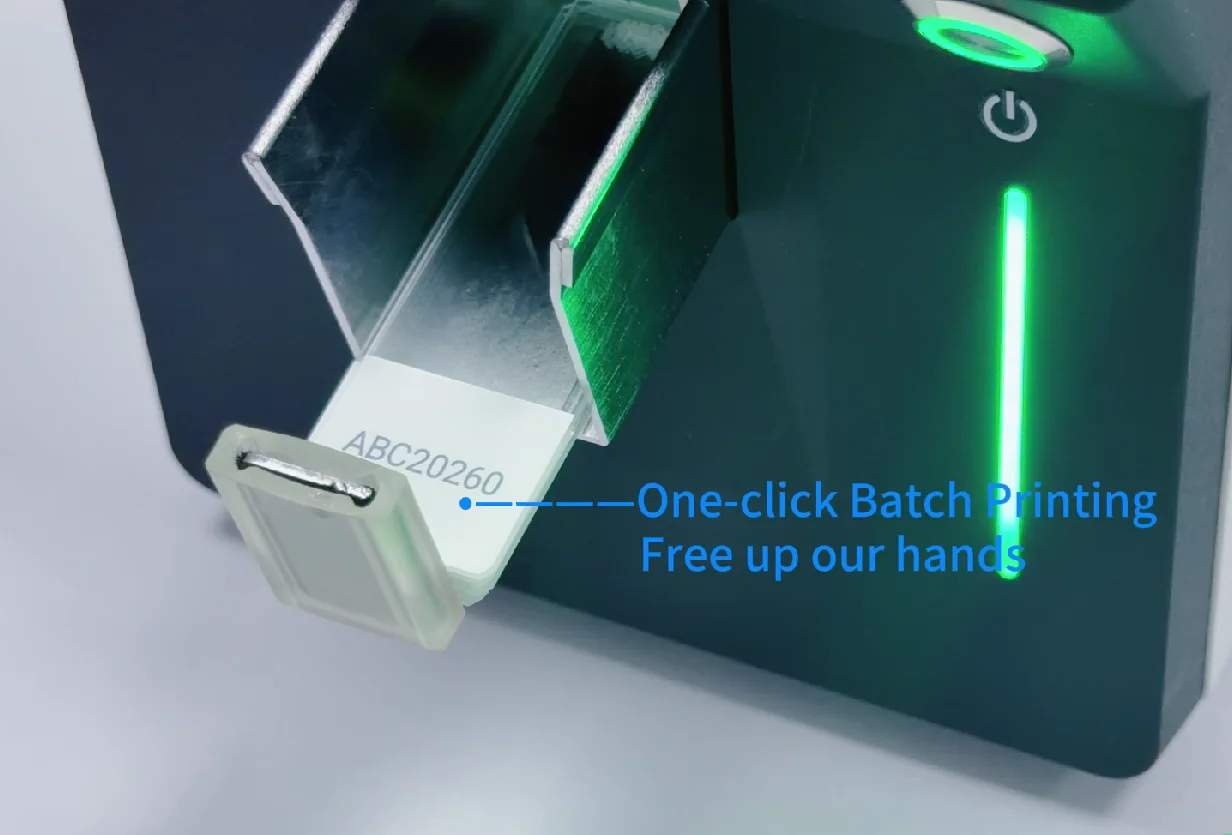
Histology laboratories handle a continuous flow of tissue cassettes and microscope slides, with printing tasks occurring at different stages of specimen processing. The way these materials are printed and collected can influence daily workload, specimen handling, and printing efficiency. Batch printing and on-demand printing offer two approaches to organizing these tasks. Each supports a different workflow, depending on how specimens move through the laboratory and how staff manage printing at each lab. Understanding the distinction between printing modes and collection methods can help laboratories select equipment that fits their operational needs.
Batch Printing vs. On-Demand Printing: Key Workflow Differences
Batch printing and on-demand printing differ mainly in when printing takes place and how printed materials are handled.
Batch Printing: Centralized Printing and Collection
Batch printing involves preparing a group of printing tasks and processing them together. Staff typically generate a worklist from the laboratory information system (LIS), then send the required cassette or slide data to a printer. The completed items are collected in a shared tray, drawer, or storage box before being distributed to the relevant laboratories.
This approach works well when specimen information is available in advance and printing tasks can be organized into defined groups. It allows staff to prepare materials for scheduled processing activities and manage multiple printing jobs within a centralized workflow.
The main operational consideration is post-print handling. Printed items need to remain organized and correctly matched with their corresponding specimens during collection and distribution.
On-Demand Printing: Printing at the Point of Use
On-demand printing produces labels or identification directly when they are needed during specimen processing. A technician can initiate printing for an individual cassette or slide using the relevant specimen information.
This approach is commonly associated with lab-based printing. Tissue cassettes can be printed near the grossing station, while slides can be produced around the microtomy area. Staff can retrieve the required item immediately and continue with the next processing step.
On-demand printing is particularly useful when specimen volume changes throughout the day or when additional slides and cassettes are required during ongoing work. It also reduces the need to sort and distribute large groups of preprinted materials.
How Printing Modes Affect Daily Histology Workflows
The most suitable printing approach depends partly on where identification materials enter the specimen workflow. Tissue cassette and slide printing take place at different stages, so their operational requirements can vary.
At the Grossing Station: Tissue Cassette Printing
During gross examination, technicians prepare tissue samples and place them into appropriately identified cassettes for processing. Printing cassettes close to this lab allows identification to be generated alongside specimen preparation.
For laboratories using batch printing, cassettes can be prepared in advance according to an organized worklist. This may suit departments with predictable specimen volumes and established processing schedules.
On-demand cassette printing supports a more immediate workflow. When a new specimen arrives or additional cassettes are required, staff can print the relevant identification at the lab. This helps accommodate changes in specimen numbers and reduces the need to retrieve preprinted cassettes from a separate collection area.
At the Microtomy Station: Slide Printing
Slide printing is closely connected to sectioning and slide preparation. Technicians may need slides for routine cases, additional sections, special stains, or recuts. These requirements can change as work progresses.
Batch printing can support planned slide preparation when the required information is available before microtomy begins. A centralized output tray also allows staff to prepare slides for a defined group of cases.
On-demand slide printing offers greater flexibility when slide requirements emerge during sectioning. Technicians can produce the required slides as cases progress, helping keep printed materials aligned with immediate laboratory tasks.
How Printer Collection Methods Support Different Printing Modes
Printing mode describes how tasks are scheduled and initiated. Collection method describes how printed cassettes or slides leave the printer and become available to laboratory staff. These are related but separate considerations.
A printer may support a particular collection configuration without requiring the laboratory to adopt only one fixed workflow. The output design can influence how easily staff retrieve, sort, and manage printed materials.
Centralized Collection for Batch Printing
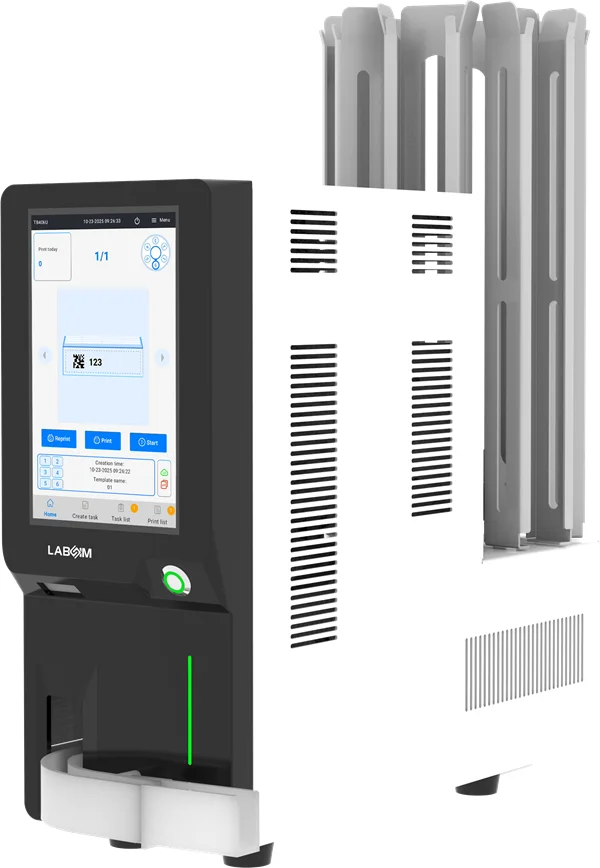
Centralized collection gathers multiple printed items in a shared output area. Depending on the printer design, this may involve a large-capacity tray, drawer, or storage box.
This arrangement is useful when a laboratory processes a planned group of specimens at one time. Staff can collect the completed materials together and distribute them according to case or lab requirements.
For example, the LABSIM TB406U tissue cassette laser printer features a drawer-style collection design with automatic output and centralized collection capacity of at least 200 cassettes. This configuration supports laboratories that need to collect and handle larger groups of printed cassettes.
Direct Output for On-Demand Printing
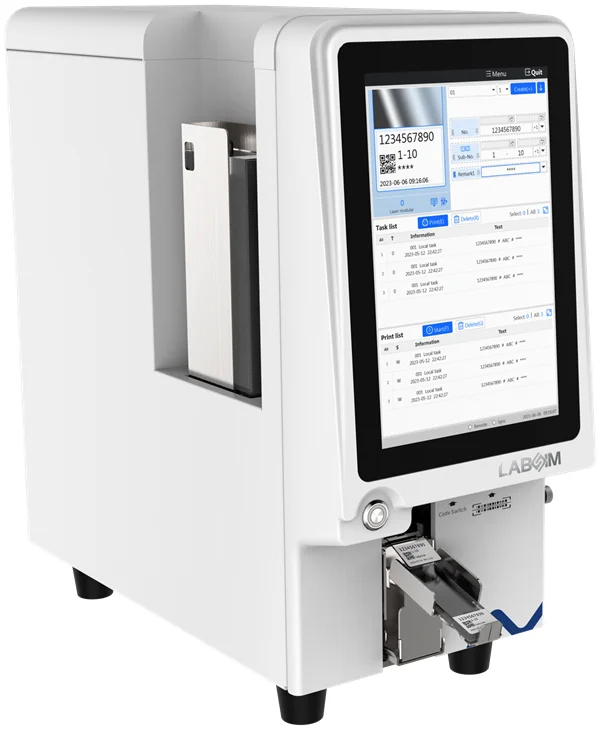
Direct output makes individual printed items available for immediate retrieval. This arrangement suits workflows where staff print materials as each specimen or processing requirement arises.
For slide printing, the LABSIM G364P slide laser printer supports an on-demand collection capacity of at least 20 slides. Its separate batch printing capacity is at least 100 slides, using a first-in, first-out (FIFO) output arrangement. This gives laboratories options for handling both immediate printing tasks and organized groups of slides.
Flexible Collection for Different Laboratory Needs
Some laboratories combine scheduled printing with individual requests. A printer with adaptable collection options can support these different patterns without requiring separate equipment for every task.
LABSIM's product range includes slide and tissue cassette printer configurations designed for different output requirements. For example, the G306U/G306I slide laser printer series supports single-output and centralized collection modes. The brochure also describes tissue cassette laser printer configurations with interchangeable collection fittings for batch and timely printing.
Choosing Between Batch and On-Demand Printing
The choice between batch and on-demand printing depends on specimen flow, workstation organization, and how frequently printing requirements change. The following comparison highlights the main operational differences.
|
Evaluation factor |
Batch Printing |
On-Demand Printing |
|
Task organization |
Groups of printing jobs |
Individual or immediate tasks |
|
Typical location |
Centralized printing area |
Near the point of use |
|
Output handling |
Shared tray, drawer, or storage box |
Direct retrieval of individual items |
|
Workflow suitability |
Planned and predictable workloads |
Changing or case-by-case requirements |
|
Main consideration |
Sorting and distributing printed materials |
Printer accessibility at workstations |
Batch printing may suit laboratories with stable workloads, centralized preparation, and established distribution procedures. On-demand printing can be a practical choice for departments that handle frequent additions, recuts, or changing specimen requirements.
Laboratories with mixed workloads may benefit from equipment that supports both approaches. This provides room to organize routine tasks in batches while retaining the flexibility to handle individual requests.
LABSIM Slide and Tissue Cassette Printing Solutions
LABSIM offers laser and thermal slide printers, along with tissue cassette printing solutions designed for different laboratory workflows. Available configurations include single-output collection, centralized high-volume collection, and options that support both batch and timely printing.
For laboratories evaluating equipment, the collection design is worth considering alongside printing technology, output capacity, LIS compatibility, and workstation requirements. Matching these features with actual specimen handling procedures can help create a more consistent identification workflow.
Explore LABSIM pathology printing solutions to find slide and tissue cassette printers suited to your laboratory's printing and collection needs.