

What Is a Slide Printer for Pathology Lab?
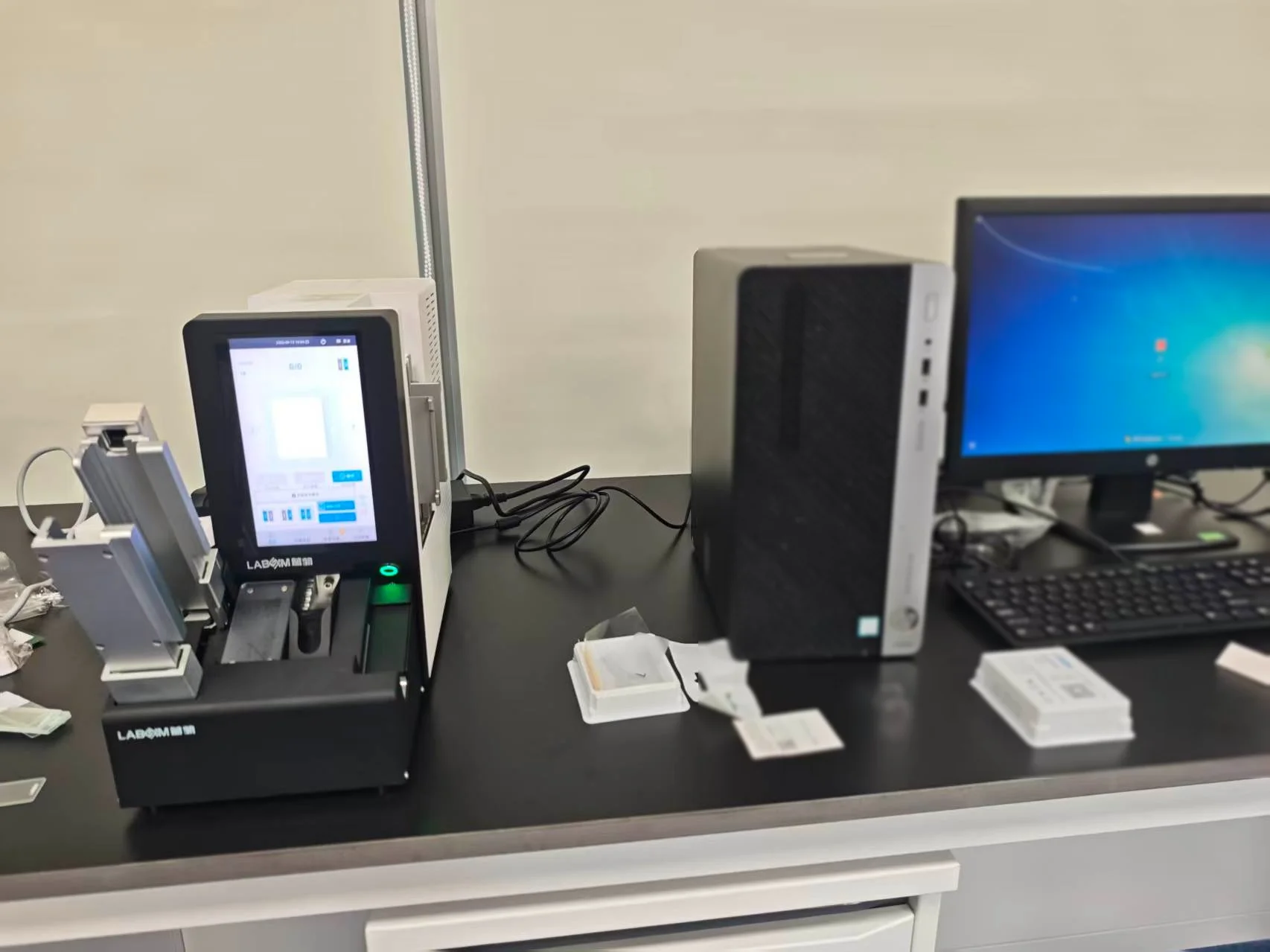
In pathology laboratories, every glass slide needs a clear and reliable identity that remains associated with the specimen throughout processing, staining, scanning, and archiving. A slide printer provides a dedicated solution for this part of the pathology workflow. It prints patient and specimen information, identifiers, and barcodes directly onto microscope slides, helping laboratories create standardized slide identification and connect physical specimens with digital records. This article explains how slide printers work, where they are used, the main printing technologies available, and the factors that can guide equipment selection for a pathology laboratory.
Slide Printer Overview
A slide printer is a specialized laboratory device designed to print specimen identification directly onto microscope slides. It can produce alphanumeric information, accession numbers, patient or specimen identifiers, and 1D or 2D barcodes in a consistent format.
In pathology workflows, slide identification needs to remain clear through several stages of specimen processing. A slide printer supports this requirement by creating standardized markings at the point where slides are prepared. Depending on the printer technology, information can be transferred onto or directly marked on the slide surface with high-resolution text and barcode data.
Slide printers can also connect with laboratory information systems and related digital platforms. Information from LIS, LIMS, HIS, or PIS can be used to generate the required slide content, while barcode scanning can provide another way to associate a slide with its specimen record.
This makes slide printing part of a broader specimen identification and traceability workflow, especially in laboratories handling large numbers of pathology slides.
Slide Printer Applications
Slide printers are primarily used in laboratory environments where accurate and consistent slide identification is essential. Their applications extend across several pathology and research settings.
Histopathology laboratories use slide printers to identify tissue sections after microtomy. Patient information, accession numbers, and barcodes can be printed as part of the preparation workflow, creating a consistent link between the tissue block and the resulting slides.
Anatomic pathology departments can incorporate slide printing into standardized specimen processing workflows. When printing is connected with laboratory information systems, slide identification can be generated from existing case data, reducing repetitive manual data entry.
Cytology laboratories may also use slide printers for cases requiring clear specimen identification and barcode-based tracking. The specific printer and slide compatibility requirements depend on the laboratory's preparation methods and slide types.
Other suitable environments include pathology testing centers, research laboratories, biobanks, tissue repositories, and veterinary diagnostic pathology laboratories. These settings can have different sample volumes and workflow structures, but they share a common need for reliable identification of physical slides.
For laboratories with high sample throughput, placing a slide printer close to the microtome or other preparation workstation can also support point-of-use printing. This allows identification to be generated as slides enter the workflow, keeping physical specimens closely connected with their corresponding digital records.
Slide Printer Working Process
A slide printer connects the identification data of a specimen with the physical glass slide through a defined printing workflow. The exact configuration varies by equipment, but the process generally follows five stages.
Step 1. Data Input
The printing process begins with specimen information. Data may come directly from an LIS or LIMS, or from connected systems such as HIS and PIS. Barcode scanning can also be used to retrieve an existing specimen record and reduce manual data entry.
The information selected for printing typically includes the case or accession number, specimen identifier, patient-related information, and barcode data.
Step 2. Template Generation
The printer software organizes the selected information according to a predefined slide template. Laboratories can configure the position, size, and content of text and barcode elements according to their workflow and identification requirements.
This creates a consistent format across slides processed within the same laboratory.
Step 3. Slide Loading
The prepared microscope slides are placed into the printer. Depending on the equipment configuration, slides may be loaded individually or supplied through an automatic feeding mechanism.
Point-of-use placement near a microtome can support direct printing during slide preparation, keeping the identification process close to the specimen processing stage.
Step 4. Printing or Marking
The printer applies the selected information to the slide using its printing technology. Laser slide printers directly mark the slide surface, while thermal slide printers use thermal transfer to produce the required identification.
Text and barcode elements are produced in a standardized format, with print quality and durability depending on the technology, slide material, and printer configuration.
Step 5. Slide Output
Once identification is complete, the printed slide continues through the laboratory workflow. Depending on the procedure, the next stages may include staining, coverslipping, digital scanning, and archiving.
This workflow connects the physical slide with its associated digital information and provides a foundation for more consistent specimen traceability.
Pathology Workflow Benefits
A slide printer becomes most valuable when it is integrated into the pathology workflow, where specimen identification needs to remain accurate from preparation through archiving. By automating the printing stage, laboratories can create a more consistent connection between specimen data and physical slides.
Manual Labeling to Automated Printing
Automated slide printing reduces reliance on handwritten identification and repetitive manual labeling. Patient or specimen information can be transferred from connected laboratory systems and formatted directly for printing, supporting greater consistency across high-volume workflows.
Handwriting to Standardized Identification
Printed text and barcodes provide a standardized identification format across slides. Clear characters and consistent positioning can make information easier to read during subsequent processing, scanning, and review.
Physical Slides to Barcode Traceability
A barcode can connect the physical slide with its corresponding specimen record in the laboratory information system. This creates a digital reference that can support tracking as the slide moves through staining, coverslipping, digital pathology, and storage.
Manual Data Entry to System Integration
LIS, LIMS, HIS, or PIS connectivity allows slide identification to be generated from existing case information. This reduces repeated transcription within the workflow and helps maintain consistency between digital records and printed slide information.
Batch Preparation to Point-of-Use Printing
Point-of-use slide printing allows identification to be generated close to the microtomy or preparation workstation. Slides can therefore be printed according to the cases being processed, which supports a more closely connected specimen-to-slide workflow.
For this reason, a slide printer serves a broader role in pathology than simply producing text on glass. It functions as an identification and traceability component within the pathology workflow, connecting specimen data with the physical slide at a critical stage of laboratory processing.
Labsim Slide Printers for Pathology Lab
Labsim provides slide printing technologies designed for different pathology workflow requirements, including UV laser, infrared laser, and thermal transfer printing.
The product selection can be matched to factors such as printing technology, laboratory workload, workstation configuration, slide compatibility, and information system integration.
G364P Slide Laser Printer
The G364P is designed for pathology laboratories requiring laser-based slide identification. Its configuration supports high-resolution printing and can be integrated into digital pathology workflows where specimen identification and traceability are important.
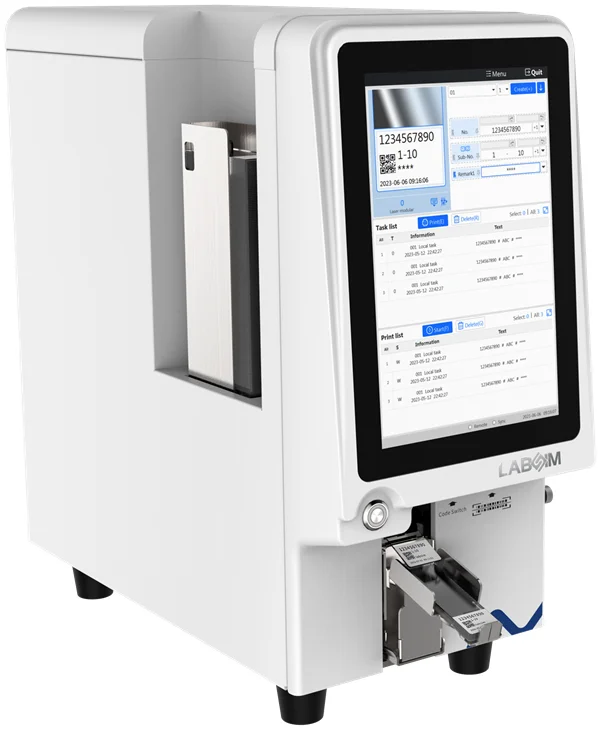
For laboratories evaluating a laser slide printer, relevant features include printing performance, barcode capability, slide compatibility, and connectivity with laboratory information systems.
G306 Thermal Slide Printer
The G306 uses thermal transfer printing and is designed for compact pathology workstation deployment. Its small footprint makes it suitable for placement beside or close to a microtome, supporting point-of-use slide printing.
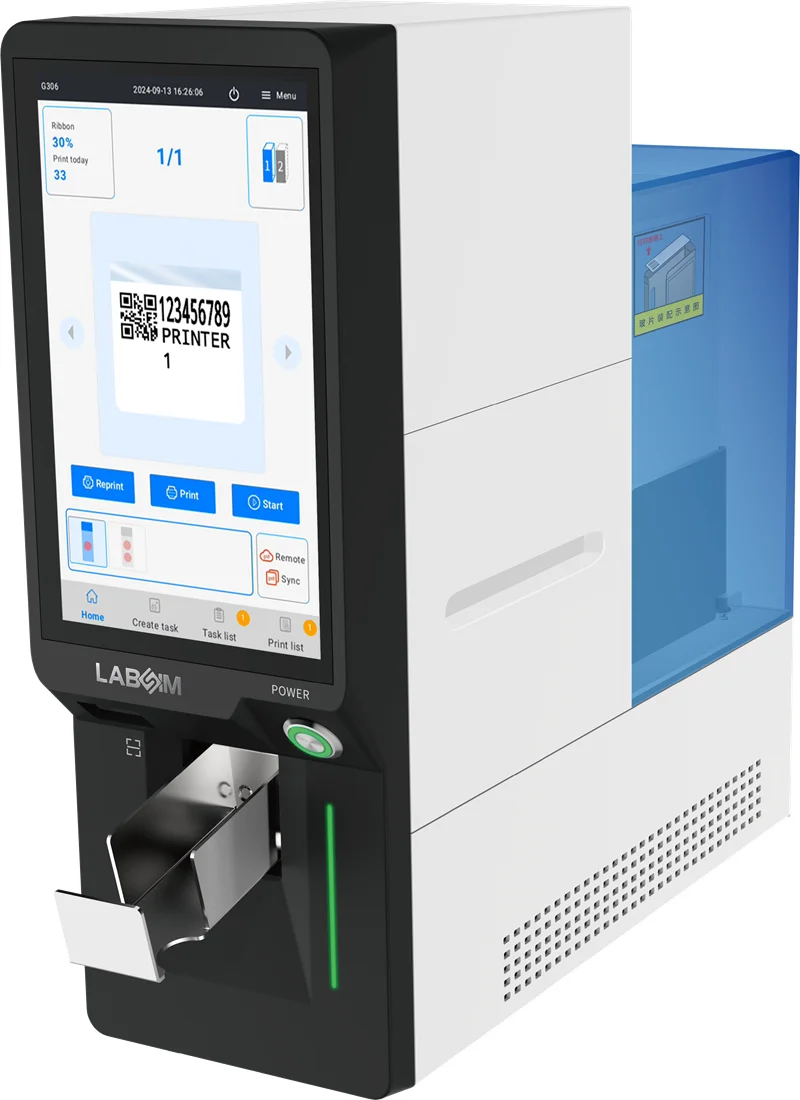
This configuration can be useful for laboratories that need routine slide identification within a limited workstation space while maintaining a connection with the wider pathology workflow.
Labsim also approaches slide printing as part of a broader Pathology Printing & Digital Traceability Solution. Equipment configuration, workstation layout, system connectivity, and barcode-based traceability can be considered together when developing a pathology printing workflow.
Conclusion
A slide printer is an important part of modern pathology identification and traceability workflows. From data input and barcode generation to direct slide printing and subsequent archiving, the right system can help laboratories maintain consistent specimen identification across multiple processing stages. Laser and thermal technologies offer different configurations, while factors such as slide compatibility, printing speed, barcode capability, system integration, durability, and workstation requirements can help determine the most suitable solution.
For laboratories evaluating a new slide printer, the ideal configuration depends on the actual workflow, specimen volume, consumables, and digital infrastructure. Labsim offers UV laser, infrared laser, and thermal slide printing solutions, with options for LIS integration and point-of-use deployment. Contact Labsim to discuss your slide printing requirements and find a configuration suited to your pathology workflow.
Frequently Asked Questions
What Is a Slide Printer Used For?
A slide printer is used to print specimen identification, accession information, patient-related data, and barcodes directly onto microscope slides. It supports standardized identification throughout pathology processing and archiving.
What Information Can a Slide Printer Print?
Depending on the printer and software configuration, information can include alphanumeric identifiers, accession numbers, specimen information, and 1D or 2D barcodes.
Can Slide Printers Print Barcodes?
Yes. Many pathology slide printers support barcode printing, including 1D and 2D formats. Barcode selection depends on the printer, software, and laboratory information system.
Can a Slide Printer Connect to LIS or LIMS?
Many slide printers can connect with LIS, LIMS, and other laboratory information systems. Some configurations also support interfaces such as HL7 or XML for exchanging specimen and printing information.
What Is the Difference Between Laser and Thermal Slide Printing?
Laser slide printers directly mark the slide surface using laser technology, while thermal printers transfer identification using a thermal ribbon. The appropriate option depends on factors such as durability, slide compatibility, workflow, and printing requirements.
How Fast Can a Pathology Slide Printer Print?
Printing speed varies by model and technology. Some laser systems can produce an individual slide within several seconds, while overall throughput depends on loading, data transfer, slide handling, and workflow configuration.