

Slide Printer and Cassette Printer: Roles in the Pathology Workflow
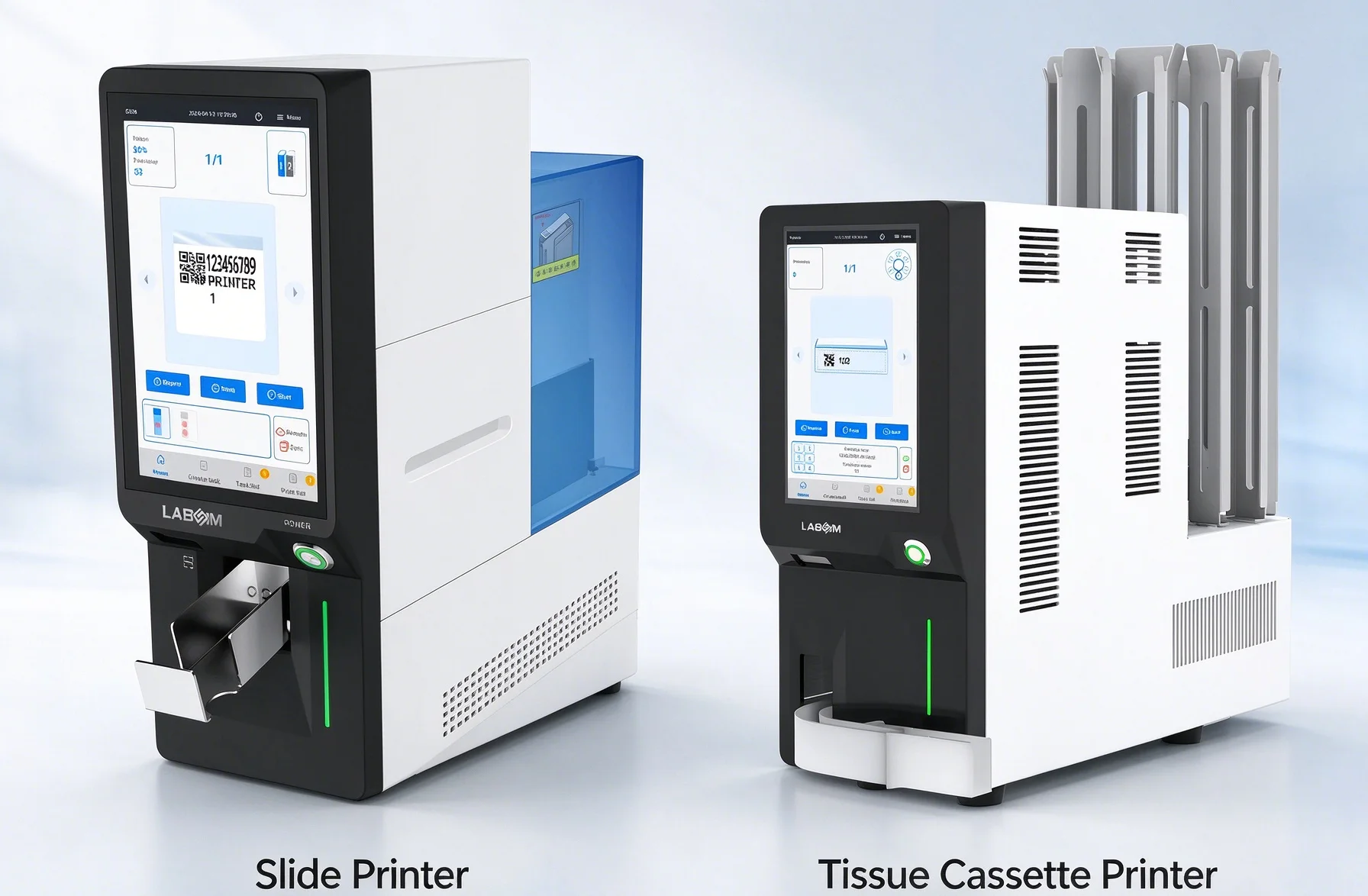
Pathology laboratories rely on accurate specimen identification throughout every stage of tissue examination. From specimen accessioning and grossing to sectioning, staining, diagnosis, and archiving, each identification point needs to remain clear and traceable. Although slide printers and cassette printers both contribute to specimen traceability, they address different workflow requirements and operate on different materials. Understanding the role of each printer helps laboratories evaluate their identification needs, improve workflow consistency, and select suitable pathology printing solutions based on their processes, sample volume, and digital integration requirements.
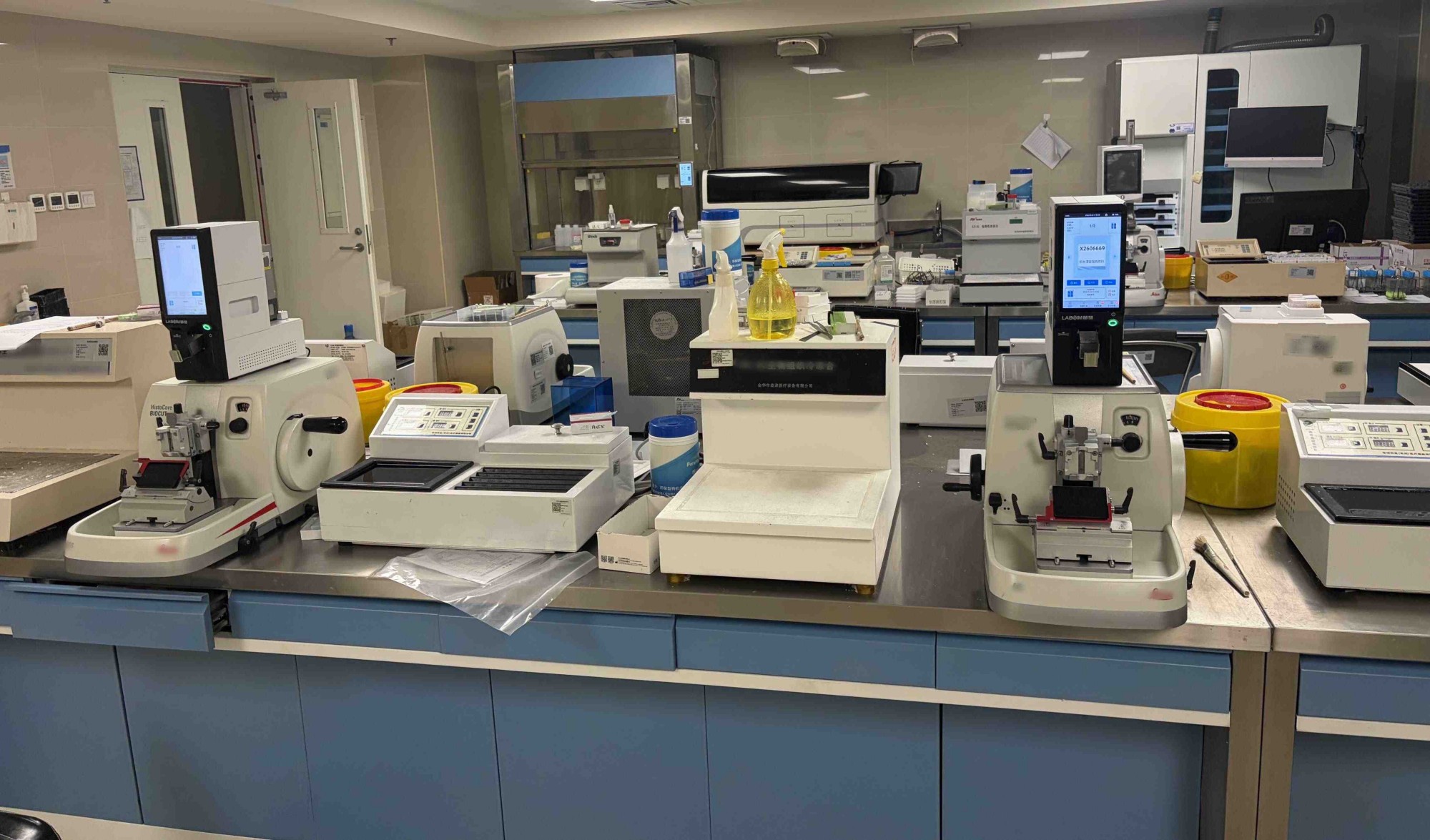
Where They Fit in the Workflow
The role of each printer becomes clearer when viewed within the complete pathology workflow. Instead of replacing one another, slide printers and cassette printers support different identification stages as specimens move from collection to diagnosis.
Cassette Printing
Cassette printing typically takes place during the early stages of pathology processing, especially after gross examination. Tissue samples are placed into cassettes, which carry the specimen through fixation, dehydration, processing, and embedding.
At this stage, printed identification connects the physical tissue sample with its case information. The cassette label may include accession numbers, specimen details, block information, and barcodes that support tracking during multiple handling steps.
Because cassettes are exposed to chemicals used in tissue processing, the printed information needs to maintain readability throughout the workflow. Reliable cassette identification helps reduce manual transcription and supports consistent specimen management before sectioning.
Slide Printing
Slide printing takes place after tissue embedding and sectioning. When thin tissue sections are transferred onto microscope slides, each slide becomes a new identification unit that needs to remain associated with the original specimen and block information.
A slide printer can add case numbers, specimen identifiers, block details, and barcodes directly onto compatible glass slides. This supports accurate identification during staining, microscopic examination, digital scanning, and long-term storage.
At this stage, print precision becomes especially important because the available marking area is limited. Clear and durable slide identification helps maintain the connection between the original tissue specimen and the final diagnostic slide.
Key Technical Differences
Although slide printers and cassette printers support the same goal of accurate specimen identification, their technical requirements are shaped by different materials, workflow stages, and laboratory conditions.
Printing Surface and Material Compatibility
Slide printers are designed for glass microscope slides, which require precise positioning and high-resolution marking within a limited area. Printed information needs to remain clear without affecting the usable area for tissue sections or microscopic examination.
Cassette printers are designed for plastic tissue cassettes, which have different surface structures and marking requirements. The printer needs to maintain consistent output across cassette formats while ensuring that identifiers remain readable throughout tissue processing.
Durability Requirements
Cassette labels must withstand exposure to processing chemicals, including fixatives, alcohol, clearing agents, and other substances used during histology preparation. A durable mark helps ensure that specimen information remains available throughout tissue processing and embedding.
Slide labels need to remain readable after staining procedures, handling, scanning, and long-term storage. Stable identification supports accurate slide review and helps maintain reliable records for future reference.
Printing Speed and Workflow Capacity
High-volume pathology departments often need equipment that can support continuous specimen movement while maintaining consistent output. Relevant factors include printing speed, loading capacity, automation features, and compatibility with existing workflow arrangements. For example, cassette printers used in grossing areas may prioritize batch processing capability, while slide printers may focus on efficient slide preparation during sectioning workflows.
Selecting equipment based on actual workflow volume helps laboratories maintain productivity without creating bottlenecks between different processing stages.
Barcode and Data Management
Barcodes play an important role in connecting physical specimens with digital records and laboratory information systems.
Both slide printers and cassette printers can support identifiers such as accession numbers, specimen IDs, block information, and 1D or 2D barcodes. When integrated with systems such as LIS, HIS, or PIS, printing data can be transferred directly from laboratory records to physical identification labels. This connection reduces manual input and supports more consistent specimen traceability across the pathology workflow.
Printing Technology
Different printing technologies are used according to application requirements. Laser printing can provide durable direct marking on compatible surfaces, while thermal printing offers another approach for laboratories with specific consumable and workflow preferences.
For pathology applications, the choice of technology depends on factors such as material compatibility, durability requirements, throughput, and integration needs. Evaluating these factors together provides a clearer understanding of how each printing solution fits into the laboratory workflow.
Matching Printers to Your Workflow
Since slide printers and cassette printers support different workflow stages, laboratories usually evaluate them according to their specific operational needs instead of viewing them as interchangeable equipment.
For laboratories focusing on tissue handling and processing, cassette printers play an important role in specimen identification during grossing, tissue processing, and embedding. Key considerations often include cassette compatibility, chemical resistance, batch processing capability, and integration with specimen management systems.
For laboratories focusing on slide preparation and diagnosis, slide printers support identification after sectioning. Factors such as print resolution, barcode readability, slide compatibility, staining resistance, and connection with digital pathology workflows become important.
|
Workflow Requirement |
Suitable Printing Solution |
|
Identifying tissue cassettes during grossing |
Cassette printer |
|
Tracking specimens through tissue processing |
Cassette printer |
|
Printing information on microscope slides |
Slide printer |
|
Supporting slide preparation and staining workflows |
Slide printer |
|
Maintaining identification from specimen to diagnosis |
Slide and cassette printing |
In laboratories with complete histology operations, slide and cassette printers can work as connected components of a broader specimen traceability system. The cassette printer establishes identification at the tissue level, while the slide printer extends that information to individual slides used for diagnosis.
This workflow-based approach allows laboratories to evaluate printing equipment according to actual identification requirements, sample volume, and future automation plans. A suitable configuration supports consistent specimen tracking from the beginning of processing through the final diagnostic stage.
Labsim Printing Solutions
Labsim's pathology product portfolio covers both slide and tissue cassette printing, with different models designed for specific identification and workflow requirements. The range includes laser slide printers, thermal slide printers, and tissue cassette printers, providing options for laboratories with different throughput, durability, and integration needs.
Slide Printers
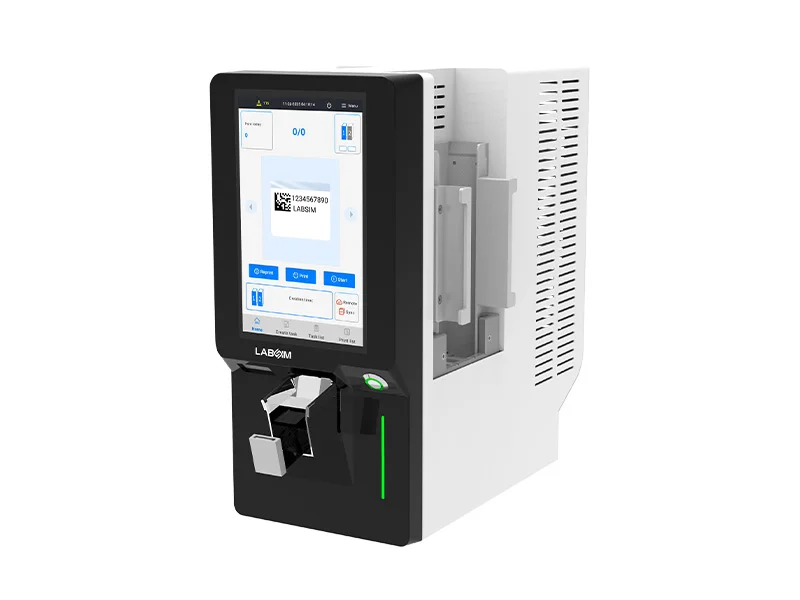
Labsim's slide printer range includes G364P, G364D, G306I, G306U, and G306, covering different requirements for slide identification, barcode printing, print durability, and workflow integration. The range incorporates different printing technologies to accommodate various slide materials and laboratory applications.
The G306I uses infrared laser technology and supports high-quality text and barcode printing, making it suitable for workflows where identification needs to remain clear through staining, handling, and long-term storage.
Cassette Printers
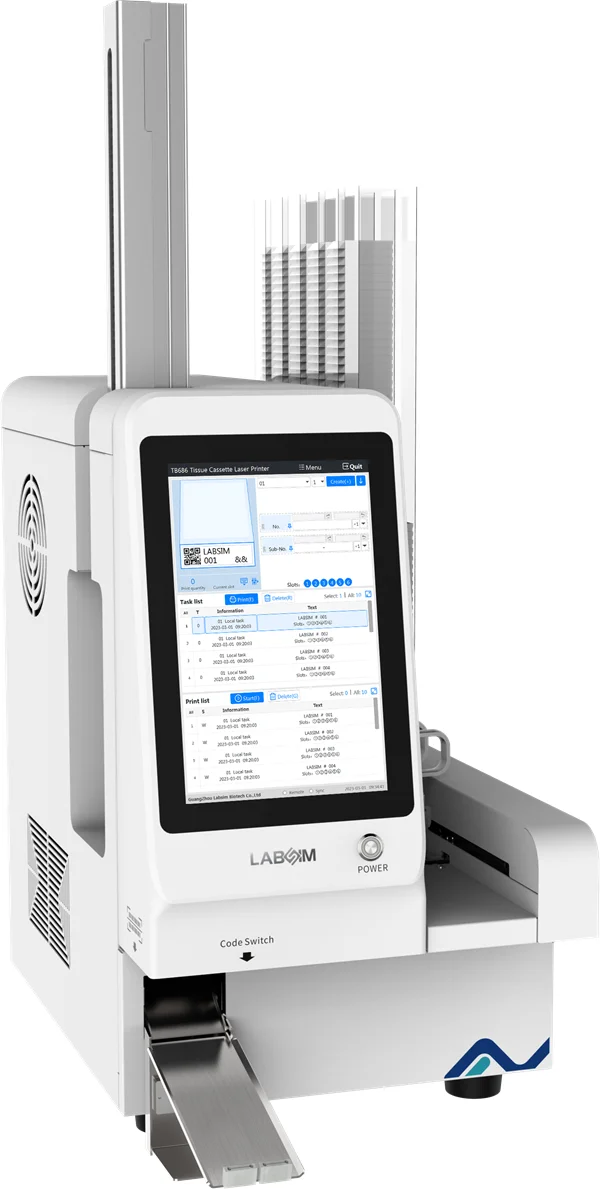
Labsim's tissue cassette printer range includes TB686, TB406U, TB406I, TB406, and TB403. These systems are designed specifically for tissue cassette identification, with features supporting barcode printing, batch processing, and durable specimen marking.
The TB686 uses UV laser technology and supports high-resolution cassette printing, with a published printing time of approximately three seconds per cassette. Its multi-slot loading configuration also supports higher-volume tissue processing workflows.
Together, these product lines allow Labsim to support specimen identification at both the tissue cassette and microscope slide stages, providing a foundation for more connected pathology workflow traceability.
What to Check Before Buying
Before selecting a slide or cassette printer, evaluate the equipment against the actual workflow and identification requirements of the laboratory. Key factors include:
- Compatible materials: Confirm compatibility with the specific slides or tissue cassettes used in the laboratory.
- Print durability: Check resistance to staining reagents, solvents, fixation, and tissue-processing chemicals.
- Print quality: Ensure text, symbols, and 1D or 2D barcodes remain clear and machine-readable.
- Throughput: Compare printing speed, loading capacity, and batch-processing capabilities with daily workload.
- Data integration: Check compatibility with LIS, HIS, PIS, middleware, or other laboratory systems.
- Workflow integration: Consider where the printer will be positioned and how samples move between grossing, processing, embedding, sectioning, staining, and archiving.
- Traceability: Evaluate whether the system can maintain consistent identifiers from the specimen or tissue block through to individual slides.
These factors help shift printer selection from a simple hardware comparison to a workflow-based evaluation. The right configuration should support the laboratory's identification process while leaving room for changes in workload, automation, and digital pathology integration.
The Key Takeaway
Slide printers and cassette printers address different identification points within the pathology workflow. Cassette printers support tissue identification during grossing and processing, while slide printers extend identification to individual slides during sectioning, staining, diagnosis, and archiving.
For pathology laboratories looking for reliable slide and tissue cassette printing solutions, Labsim provides a range of printing technologies and models designed for different workflow, throughput, durability, and integration requirements. Explore Labsim's pathology printing portfolio to find a configuration suited to your workflow.
Frequently Asked Questions
1. What is the difference between a slide printer and a cassette printer?
A slide printer is designed to print identification information directly on microscope slides, while a cassette printer prints identifiers on tissue cassettes. They serve different stages of the pathology workflow and are generally used as complementary systems.
2. When is cassette printing used in the pathology workflow?
Cassette printing is typically used after gross examination, when tissue samples are placed into cassettes for fixation, processing, and embedding. The printed identification remains associated with the tissue throughout these preparation stages.
3. When is slide printing used in pathology?
Slide printing is used after tissue sectioning, when tissue sections are transferred onto microscope slides. The printed information links each slide to its case, specimen, and block information during staining, diagnosis, scanning, and archiving.
4. What information can pathology printers print?
Depending on the system and laboratory workflow, printers can add accession numbers, specimen or patient identifiers, block information, dates, and barcodes. The exact information depends on the laboratory information system and identification requirements.
5. Can slide and cassette printers support specimen traceability?
Yes. When identifiers are consistently generated and transferred through the laboratory information system, cassette and slide printers can contribute to continuous specimen traceability from tissue processing through diagnosis.
6. Can pathology printers integrate with an LIS?
Many modern pathology printing systems can integrate with LIS, HIS, PIS, or middleware environments. Integration allows identification data to be transferred electronically for printing, helping reduce manual data entry and support more consistent specimen identification.