

Specimen Barcode Quality in Pathology Labs: Printing, Scanning, and Verification
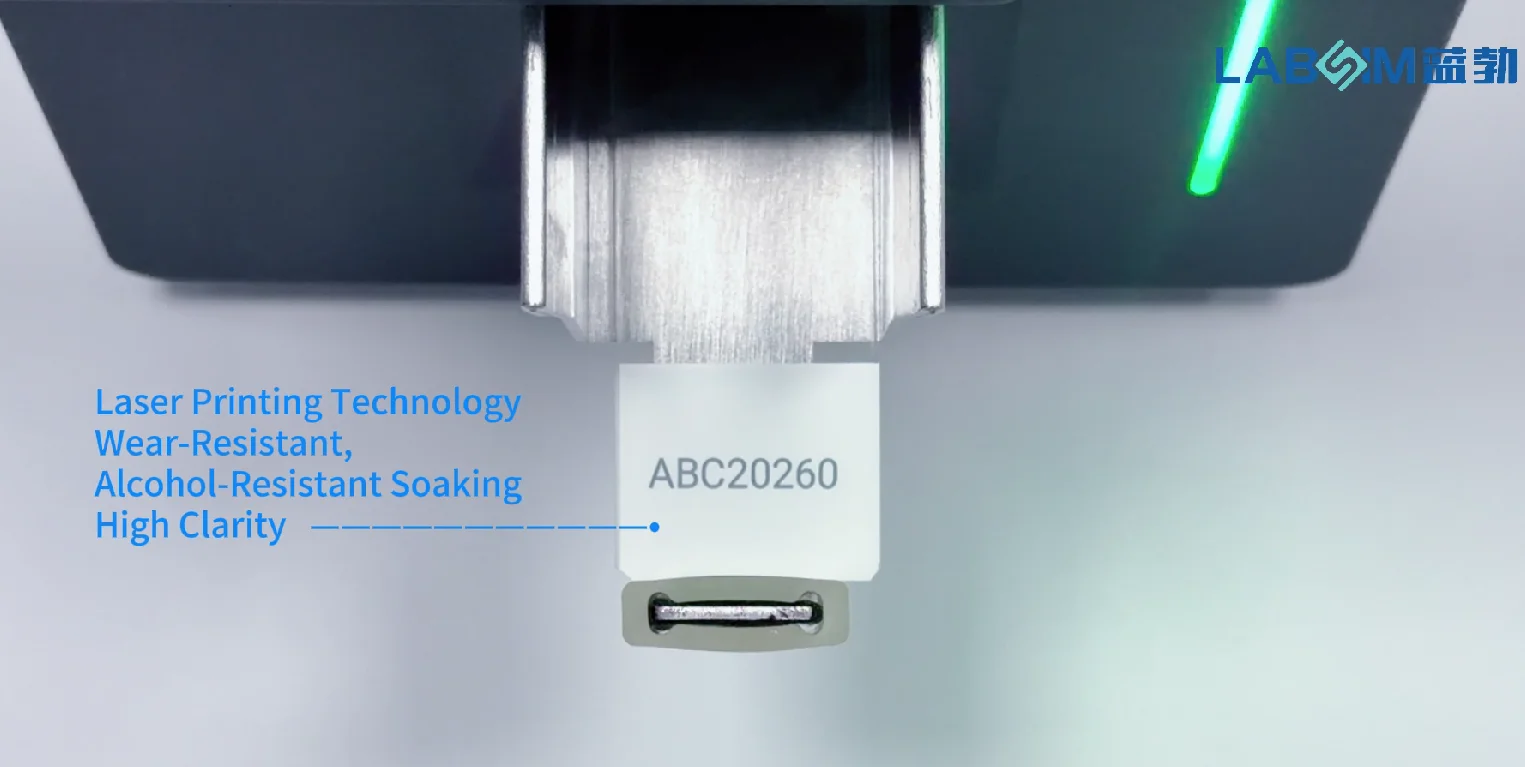
A specimen barcode plays an important role in identifying and tracking samples throughout pathology procedures. Its reliability depends on more than whether the information has been printed. The barcode must remain clear, complete, and readable when scanned at different stages of laboratory handling. Blurred lines, incomplete symbols, poor contrast, or unsuitable printing materials can all affect recognition accuracy. For pathology laboratories, consistent results require attention to printer settings, barcode layout, and consumable compatibility. Understanding these factors helps laboratories improve identification reliability and reduce repeated printing and manual barcode checks.
Key Factors That Affect Specimen Barcode Printing Quality
The quality of a printed barcode is influenced by several factors, including print resolution, barcode dimensions, placement, contrast, and the compatibility between the printer and printing material. Each factor affects how accurately a scanner can capture and interpret the encoded information.
Barcode Resolution and Print Clarity
Print resolution determines how precisely a printer reproduces barcode elements. Insufficient resolution can cause narrow bars or small modules to appear blurred, uneven, or incomplete. These defects may interfere with the scanner's ability to distinguish individual elements, particularly when printing compact barcodes or high-density 2D codes.
A suitable resolution helps preserve sharp edges and consistent line widths. The printed symbol should have clearly defined bars or modules, with no visible gaps, smudging, or missing sections. Laboratories handling dense specimen information may also need to evaluate whether the selected printer can reproduce the required barcode format at the intended size.
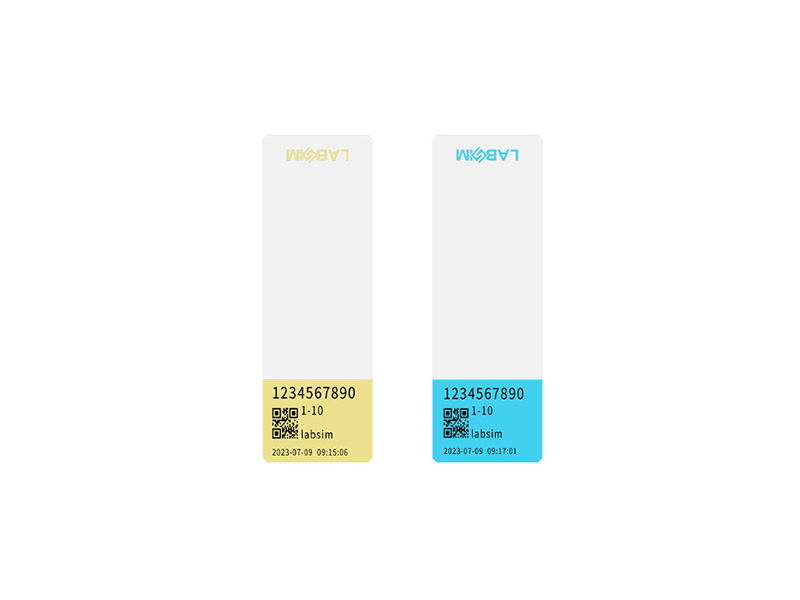
Labsim's microscope slides printed with clear barcode
Barcode Size, Position, and Contrast
Barcode dimensions should match the amount of encoded information and the available printing area. A symbol that is too small can become difficult to read, while excessive scaling may leave insufficient space for other specimen details. Maintaining the appropriate proportions helps preserve the barcode structure.
Placement also affects scanning reliability. The barcode needs a flat, accessible printing area, with sufficient clear space around the symbol. Text, borders, or other printed elements should not interfere with this area. Adequate contrast between the barcode and its background further supports accurate recognition.
Printer and Consumable Compatibility
The printing technology and the surface of the consumable need to work together. Laser and thermal printers use different printing methods, so microscope slides and tissue cassettes should be selected according to the corresponding printer requirements.
Material compatibility affects the consistency of the printed result, including edge definition, completeness, and resistance to subsequent handling. Using slides and cassettes designed for the relevant printing technology helps maintain stable print quality across routine laboratory batches.
How to Ensure Specimen Barcodes Remain Readable After Printing
A specimen barcode must remain readable throughout routine pathology procedures. Microscope slides and tissue cassettes may be exposed to chemical reagents, repeated handling, and different processing conditions. These factors can affect the printed information and make subsequent scanning difficult. Laboratories can improve barcode reliability by checking print durability and testing readability under actual working conditions.
Check Barcode Durability on Slides and Tissue Cassettes
Barcode durability depends on both the printing method and the consumable surface. During pathology workflows, slides and tissue cassettes may come into contact with reagents such as alcohol, xylene, and decalcifying fluids. Printed information needs to remain clear and intact after this exposure.
Laboratories can evaluate durability by checking whether barcode lines, symbols, and accompanying text remain complete after routine handling and processing. Fading, smudging, peeling, or surface damage may reduce scanning accuracy. Selecting microscope slides and tissue cassettes designed for the corresponding laser or thermal printing technology helps maintain consistent results. Compatibility with the printer and resistance to commonly used laboratory chemicals are important factors in this evaluation.
Test Barcode Readability with the Intended Scanner
A barcode that looks clear to the eye may still be difficult for a scanner to recognize. Laboratories can test printed samples with the scanners used in their routine workflows to confirm that the encoded information is captured accurately.
The test should cover different barcode formats, print sizes, and representative slides or cassettes. Check whether the scanner can read the complete barcode on the first attempt and produce consistent results across repeated scans. Also verify that the barcode is positioned within the scanner's reading area and that the scanner window is clean.
When scanning problems occur, compare results across multiple printed samples and check the scanner separately. This helps identify whether the issue comes from print quality, consumable compatibility, barcode placement, or scanning equipment. Regular checks can reveal problems before they affect routine specimen identification.
Common Specimen Barcode Printing Problems and Solutions
Barcode printing issues can affect specimen identification and create delays during laboratory workflows.
|
Common problem |
Possible cause |
Practical solution |
|
Blurred or uneven barcode lines |
Incorrect print settings, unsuitable printing surface, or inconsistent printing |
Check printer settings and use compatible slides or cassettes |
|
Incomplete or missing barcode elements |
Printhead or laser printing issues, or surface incompatibility |
Inspect the printer and consumable condition, then print a test sample |
|
Barcode cannot be scanned |
Insufficient contrast, incorrect dimensions, poor positioning, or scanner compatibility issues |
Adjust barcode size and placement, check contrast, and test with the intended scanner |
|
Barcode fades or becomes damaged |
Inadequate resistance to laboratory chemicals or repeated handling |
Select consumables with suitable chemical resistance and verify print durability under routine conditions |
|
Inconsistent results across batches |
Differences in consumable quality, printer condition, or operating settings |
Standardize printing settings and regularly check print quality across batches |
A consistent quality-control process can help detect these problems early. Checking representative samples after printing, scanning, and routine processing also makes it easier to identify recurring issues and maintain reliable specimen identification.
LABSIM Pathology Printing Solutions for Reliable Specimen Barcodes
Reliable specimen identification depends on the combined performance of printing equipment and compatible consumables. LABSIM offers pathology printing solutions covering microscope slides, tissue cassettes, and their corresponding printing technologies, helping laboratories maintain clear and durable specimen information.
Slide and Tissue Cassette Printers
LABSIM provides both laser and thermal slide printers, as well as laser and thermal tissue cassette printers. These systems support the printing of characters, symbols, and barcodes for routine pathology applications. Selected models feature built-in barcode scanners, with some tissue cassette printers also supporting print-after-scanning workflows. These functions help laboratories incorporate barcode scanning into daily printing and identification procedures.
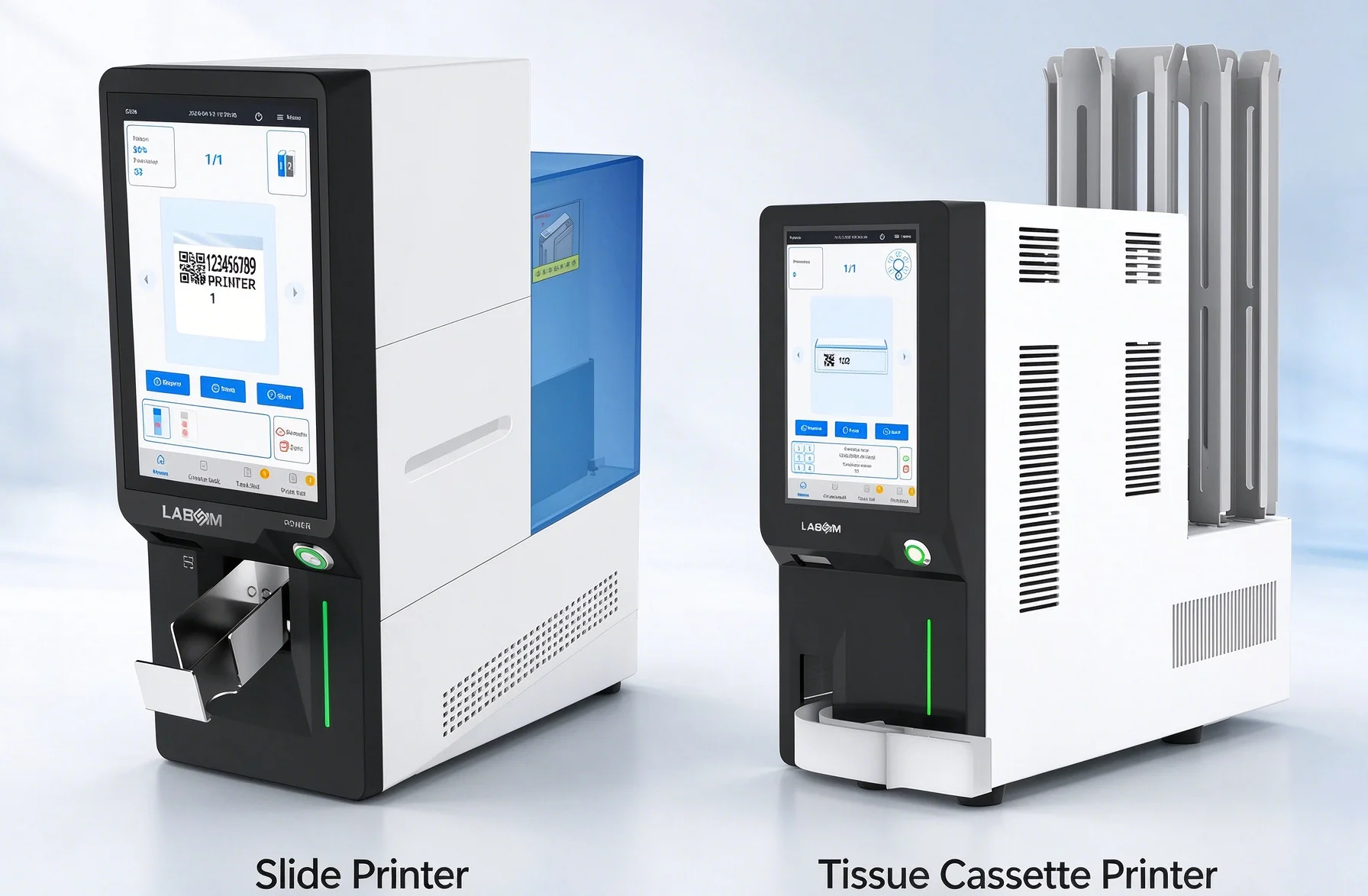
The printer range also supports connections with commonly used hospital information systems, including LIS, HIS, PIS, and PACS, helping integrate specimen information into existing workflows.
Compatible Microscope Slides and Tissue Cassettes
LABSIM offers laser and thermal microscope slides, along with laser and thermal tissue cassettes designed for corresponding printing technologies. The printed information is clear and durable, while the consumable surfaces are designed to withstand conventional pathology laboratory chemicals. LABSIM tissue cassettes also feature high-temperature and corrosion resistance, supporting long-lasting specimen identification.
Matching the printer with the appropriate slides or cassettes helps maintain consistent barcode quality from initial printing through subsequent handling and scanning.
Conclusion
Reliable specimen barcode quality requires consistent printing, durable information, and successful scanning throughout the pathology workflow. By matching printers with compatible consumables and checking barcode readability under routine laboratory conditions, pathology labs can improve specimen identification and support more efficient sample tracking. LABSIM provides integrated pathology printing equipment and consumables to support these needs.